TL;DR: You can connect your own MCP servers to Omnia. Bring your tools, your data, and your workflows—fully integrated.
What this is
Omnia lets you connect your own MCPs (Model Context Protocol servers) directly into the platform. This means your external tools, APIs, and services can become first-class citizens inside your security workflows.
What is an MCP
An MCP (Model Context Protocol) server is a service that allows an AI system to securely connect to external tools, data sources, and actions. It acts as a bridge between Omnia and your custom infrastructure—whether that’s internal APIs, automation systems, analysis engines, or proprietary data.
With MCPs, Omnia isn’t limited to built-in capabilities. You decide what it can access and how far it can go. It supports Streamable HTTP, so your MCP can communicate continuously and efficiently with the platform.
How to connect your own MCP
You can connect your own MCP directly from My Library:
- Go to My Library
- Open the MCPs tab
- Click Create MCP
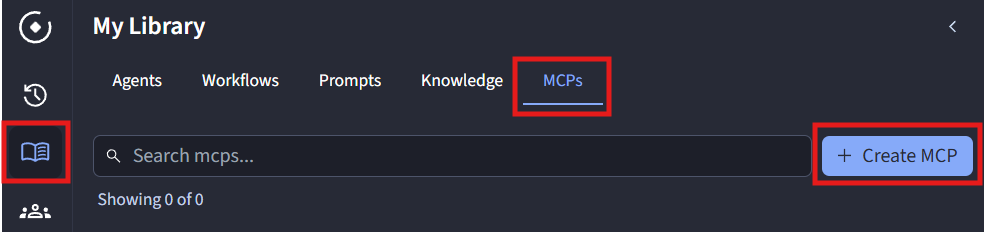
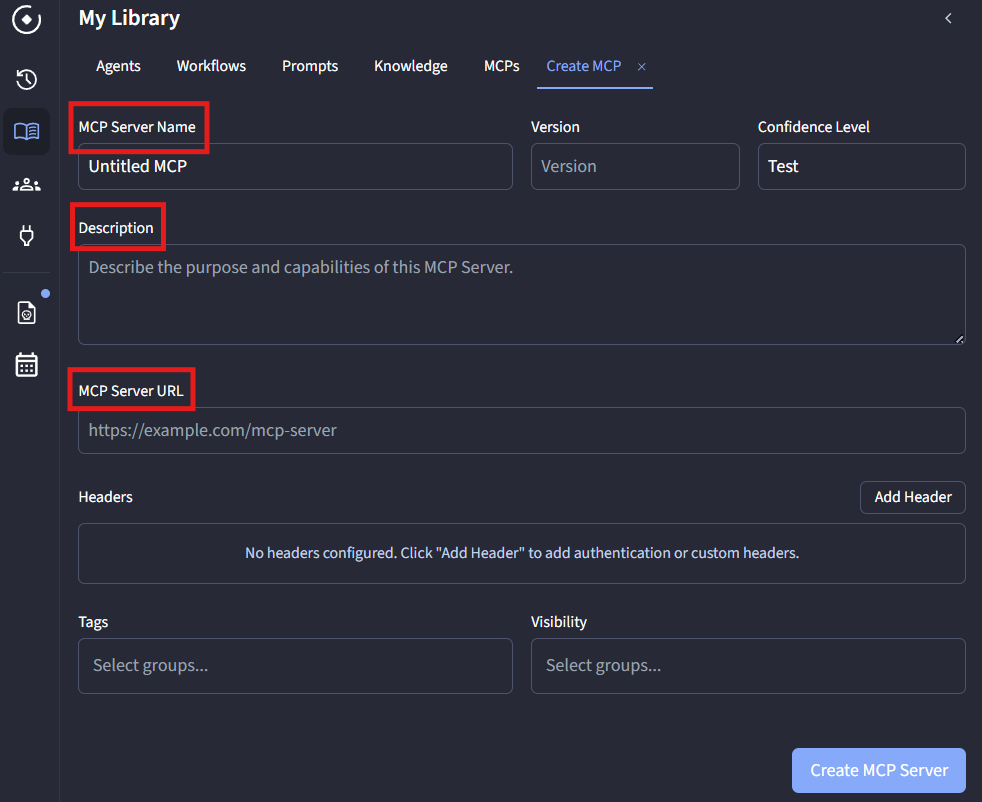
There, you can:
- Set a name for your MCP
- Add a description
- Provide the MCP Server URL — the endpoint Omnia will use to connect to your server
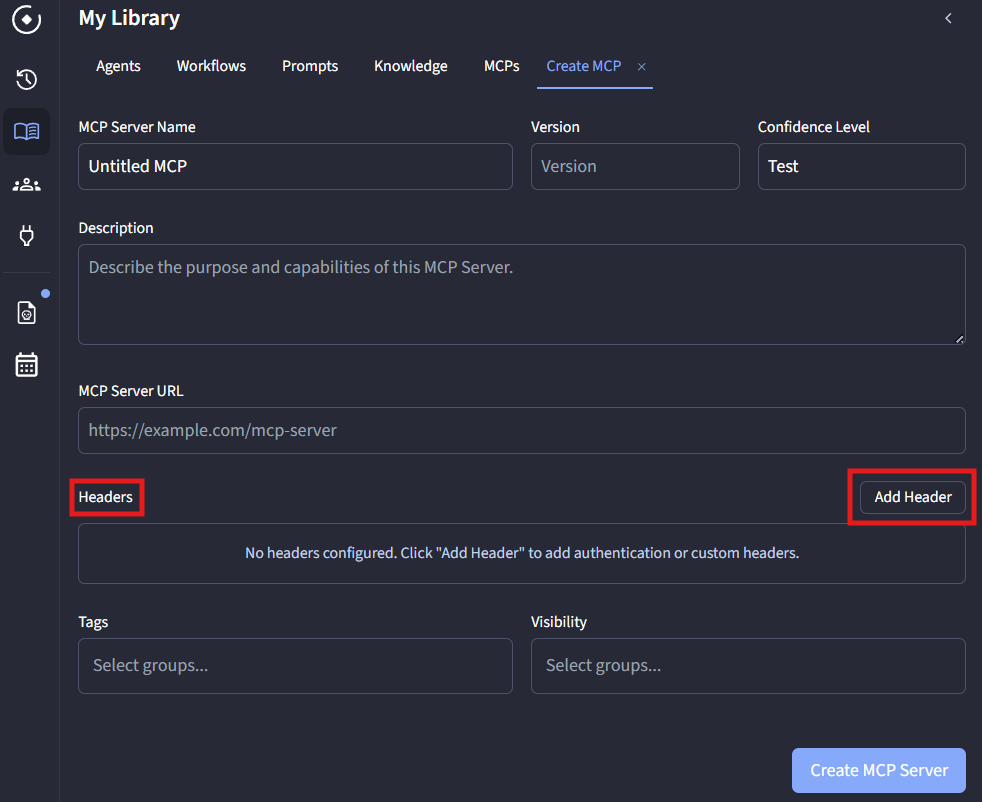
You can also add custom headers for authentication or access control. This allows you to:
- Secure your MCP with API keys or tokens
- Control exactly who can access your tools
- Pass any required custom metadata to your server
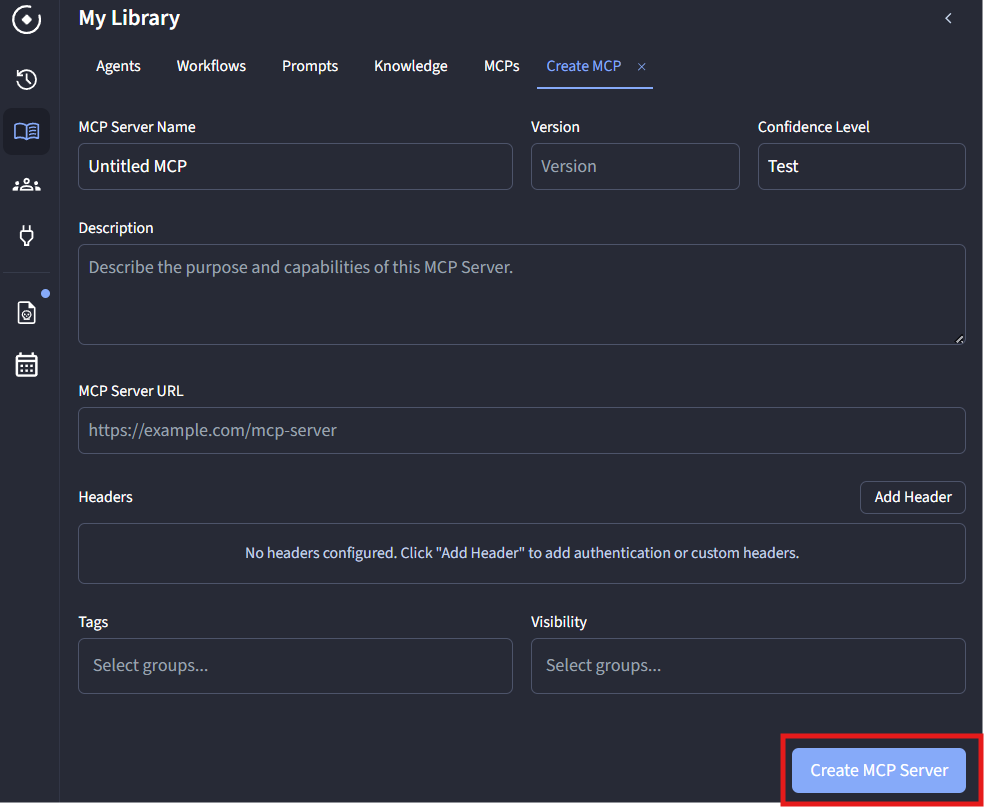
Once everything is set:
- Click Create MCP Server
- Your MCP is now connected and ready to use inside Omnia
Feedback
We’re building this with you. If something breaks, feels missing, or could be better, reach us at info@omniasec.ai.
Stay connected
Follow us on LinkedIn (omniasec) and Twitter/X (@omniasec) for releases, updates, and community work.
Why this matters
Security teams don’t just need features—they need flexibility. MCPs make Omnia your platform, not just a platform.
Let’s build.